


Table of Contents
ToggleIf you have ever searched for wave dash while playing Geometry Dash, you probably wanted one simple thing: to understand why the wave feels so difficult and how experienced players make it look effortless. The wave is one of the most demanding game modes in Geometry Dash because tiny changes in your input can completely change your movement. That becomes especially obvious in tight wave sections, where a mistake of only a fraction of a second can send the icon straight into an obstacle.
This guide breaks the mechanic down without assuming you already understand advanced terminology. You will learn how the wave works, how to control its movement, why narrow corridors are difficult, and how to practice consistently. We will also look at Geometry Dash wave challenges, wave-dash terminology, Scratch-related searches, unblocked versions, and the meaning of the wave arrow.
The goal is not simply to tell you to “practice more.” Instead, you will learn what to practice, how to recognize your mistakes, and how to build the muscle memory needed for difficult wave gameplay.
What Is the Wave in Geometry Dash?
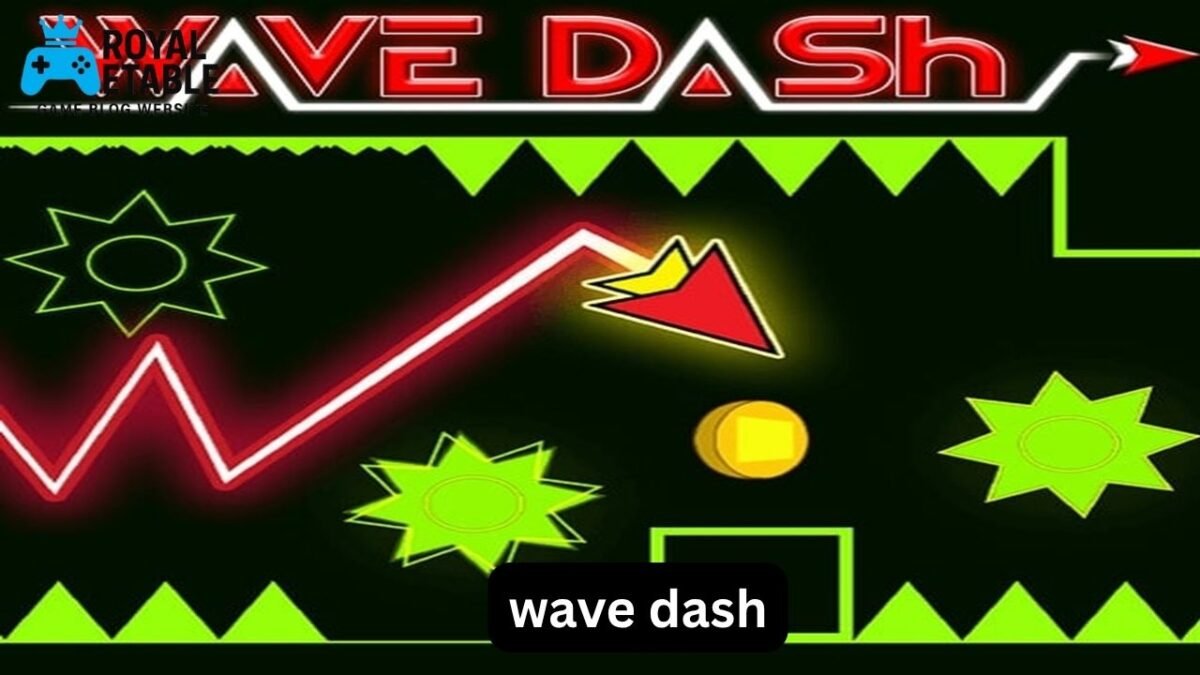
The wave is a game mode in Geometry Dash that moves diagonally whenever the player holds or releases the input.
Unlike the cube, which jumps when activated, the wave follows a continuous zigzag path:
- Hold: the wave moves diagonally upward.
- Release: the wave moves diagonally downward.
- Quick alternating inputs: create a tight zigzag.
- Longer inputs: create wider diagonal movements.
The important detail is that the wave does not stop moving when you change your input. Your timing controls the direction of the diagonal movement.
This makes the wave fundamentally different from ordinary jump-based gameplay.
Why Does the Wave Feel So Sensitive?
The wave is sensitive because your vertical position depends continuously on your input.
Imagine a narrow corridor with only a small amount of space between the ceiling and floor. A slightly early input can move you too high, while a slightly late release can leave you too low.
At low difficulty, this may not be noticeable. At higher difficulties, however, level creators can use:
- Narrow corridors
- Rapid direction changes
- Slopes
- Gravity changes
- Speed changes
- Invisible or visually subtle hazards
- Rapid transitions between different game modes
The result is gameplay where consistency matters more than simply reacting quickly.
How Wave Dash Movement Works
One of the easiest ways to understand wave gameplay is to stop thinking about individual clicks and start thinking about movement rhythm.
Suppose the wave is traveling upward toward a ceiling. You release the input, causing it to travel downward. Before it reaches the floor, you hold again. The wave then travels upward.
You are effectively drawing a zigzag through the level.
The size of each zigzag depends on:
- Your input timing
- The current game speed
- The available space
- The distance between obstacles
- Your position when the input changes
This is why copying another player’s clicks exactly does not always work. Your starting position may be slightly different, and that difference changes the rest of the movement.
A Useful Mental Model
Think of wave control like steering a vehicle through a narrow mountain road.
You do not wait until you are already hitting the wall before turning. You make small corrections before the danger becomes critical.
The same principle applies to the wave.
Good wave control is usually proactive rather than reactive.
Wave Dash vs. Wave Gameplay
There is an important terminology issue worth understanding.
In Geometry Dash discussions, people sometimes use phrases such as “wave dash” to describe wave movement or wave-related challenges. However, the wave game mode itself is the mechanic responsible for the familiar zigzag movement.
It is useful to distinguish the terms because searches for “wave dash” can lead to several different things:
- Geometry Dash wave gameplay
- Wave challenges
- Wave practice techniques
- Fan-made games
- Scratch projects inspired by Geometry Dash
- Unblocked browser versions
- Tutorials using the term “wave dash” loosely
If your goal is improving at Geometry Dash, focusing on the actual wave mechanics is more useful than getting caught up in the terminology.
Why Geometry Dash Wave Sections Are Difficult
Wave sections become difficult for a reason that is easy to overlook: the same input can produce very different results depending on when you press it.
For example, imagine two attempts through the same corridor.
In the first attempt, you change direction slightly too early. The wave begins descending sooner and reaches the bottom of the corridor before the correct moment.
In the second attempt, your timing is delayed by only a tiny amount. The wave travels farther before changing direction and may clear the obstacle comfortably.
This creates a narrow timing window.
Speed Makes Everything Harder
At higher speeds, you have less time to make each correction.
A pattern that feels comfortable at normal speed can suddenly feel extremely demanding when the game accelerates.
This is why practice mode is so useful. Instead of trying to memorize a section at full speed immediately, you can first understand its rhythm and gradually increase your consistency.
How to Practice the Wave Effectively
Simply replaying the same difficult section hundreds of times is not always efficient.
A better approach is to divide the problem into smaller skills.
1. Learn the Rhythm First
Start with an open wave section where there is plenty of space.
Focus on alternating upward and downward movement smoothly.
Do not worry about completing a difficult level yet.
Your first goal is to make the movement predictable.
2. Practice Small Corrections
Once basic movement feels comfortable, practice changing direction with shorter inputs.
This teaches you that wave control is not just:
Up → down → up → down.
It is actually a continuous series of adjustments.
Experienced players often make extremely small corrections that are difficult to notice when watching a full run.
3. Practice Tight Corridors Separately
If one particular section keeps killing you, isolate it.
Practice the section until you can complete it several times consecutively.
A useful target is not merely one successful attempt. Try for a small streak.
For example:
- Complete it once.
- Complete it twice consecutively.
- Aim for five successful attempts.
- Then add the section before it.
- Finally, practice the entire sequence.
This builds consistency rather than relying on one lucky attempt.
A Common Mistake: Overcorrecting
One of the biggest problems new wave players encounter is panic correction.
Suppose you are approaching the bottom of a corridor. You press too hard or too early, sending the wave upward. You then realize you are too high and immediately make another large correction.
Now the wave starts oscillating too aggressively.
Instead of fixing the original mistake, you have created a second one.
A better strategy is to make smaller corrections whenever the available space allows it.
The “Smallest Safe Correction” Rule
When you are already close to the correct path, ask:
What is the smallest input change that keeps me safe?
This is particularly valuable in extremely narrow wave sections.
You do not always need to make a dramatic directional change.
Sometimes the best correction is surprisingly small.
Wave Arrow: What Does It Mean?
Players searching for the Geometry Dash wave arrow may be referring to the visual direction associated with wave movement or to indicators used in particular levels and gameplay explanations.
The key idea is simple: the wave’s direction changes according to your input.
If you hold the control, the wave travels diagonally upward.
When you release it, the wave travels diagonally downward.
The exact appearance of indicators can vary depending on the level’s design, editor objects, or visual effects, so it is better to understand the underlying movement rather than depend on an arrow alone.
Geometry Wave Dash on Scratch
Another common search is Geometry Wave Dash Scratch.
Scratch is a block-based programming platform where users can create their own games and interactive projects. Many creators have made Geometry Dash-inspired games in Scratch, including projects featuring cube, ship, ball, and wave-style mechanics.
A Scratch wave project typically recreates the basic concept by changing an object’s vertical position depending on whether a key is pressed.
For someone learning game development, this is actually a useful way to understand the mechanic.
A simplified concept is:
- Key pressed → move upward.
- Key released → move downward.
- Repeat continuously.
- Detect collision with obstacles.
- Restart when a collision occurs.
The implementation can become much more sophisticated when acceleration, collision boxes, scrolling, speed changes, and physics are added.
Why Scratch Versions Feel Different
A Scratch recreation may look similar to Geometry Dash while behaving differently.
That can happen because the creator has implemented:
- Different movement speeds
- Different collision detection
- Custom gravity
- Different frame timing
- Simplified physics
- Different obstacle hitboxes
So if you are practicing wave movement in a Scratch game, do not assume its controls will translate perfectly to the original game.
What About Wave Dash Unblocked?
The phrase wave dash unblocked is often used in searches for browser games or school/work-network-accessible versions of wave-style games.
The important thing to remember is that “unblocked” does not automatically mean official or safe.
Browser copies can differ substantially from the original game in:
- Controls
- Physics
- Level design
- Performance
- Ads
- Account functionality
- Data collection
- Game version
If you are simply looking for wave gameplay, understanding the mechanic is more valuable than chasing a particular browser copy.
You should also avoid downloading unknown executable files just because a website claims they are required to play a browser version.
Advanced Wave Techniques
Once you understand basic control, several techniques become particularly useful.
Focus on Your Exit, Not Only Your Entry
A common beginner habit is to focus entirely on surviving the obstacle directly in front of them.
Strong players often think about the exit trajectory as well.
For example, if you clear an obstacle but emerge at the wrong vertical position, the next obstacle may become impossible.
Instead, ask:
Where does the wave need to be immediately after this obstacle?
That question changes how you time the preceding input.
Use Visual Landmarks
In difficult levels, players often develop visual landmarks.
These can be:
- A particular corner
- A block edge
- A decoration pattern
- A slope
- A transition point
- A specific obstacle alignment
Instead of thinking, “click now,” you begin thinking:
When the wave reaches this visual point, change direction.
This makes timing more repeatable.
Learn the Level’s Rhythm
Some wave sections have a recognizable rhythm.
You might notice a pattern such as:
long → short → short → long → short
Learning this rhythm can be easier than memorizing every individual input.
However, rhythm should support visual awareness rather than replace it completely. Speed changes and transitions can disrupt a pattern you memorized mechanically.
Three Less-Obvious Wave Insights
1. Your Starting Position Matters More Than You Think
Two players can use nearly identical input timings and still get different results if their wave starts from slightly different vertical positions.
That means copying a recorded input sequence is not always reliable.
The better skill is learning how to recognize your current position and adjust accordingly.
2. Consistency Is More Valuable Than Maximum Speed
Players often try to improve by making faster inputs.
But faster does not necessarily mean better.
If your inputs are inconsistent, increasing speed can simply make mistakes happen faster.
First make the movement repeatable. Then increase difficulty.
3. Recovery Is a Real Skill
Not every imperfect movement means the attempt is lost.
A wave can sometimes recover from a slightly poor trajectory if you recognize the mistake early enough.
This is an underrated skill because practice often focuses only on perfect execution.
When practicing, deliberately observe what happens after a slightly late or early correction.
Learning how to recover can save attempts in real runs.
Common Wave Mistakes to Avoid
Holding for Too Long
Long holds can send the wave much farther than expected, especially at high speed.
Fix: Practice shorter inputs in open sections.
Releasing Too Late
Waiting until the wave is almost touching an obstacle before changing direction leaves little room for recovery.
Fix: Learn to anticipate the turn.
Watching Only the Wave
Your icon is important, but the upcoming geometry matters more.
Fix: Keep your attention slightly ahead of the wave.
Memorizing Without Understanding
Memorization can help, but it becomes fragile when you die and restart from a slightly different position.
Fix: Combine memory with visual cues and trajectory awareness.
Practicing Only From the Beginning
If you repeatedly die at 70% of a level, replaying the first 70% every time wastes practice opportunities.
Fix: Use practice tools to isolate difficult sections.
A Practical Wave Training Routine
If you want a structured way to improve, try this 15–20 minute routine:
- 5 minutes: Practice basic wave movement in an open area.
- 5 minutes: Practice short and long direction changes.
- 5 minutes: Isolate your hardest wave section.
- 2–5 minutes: Attempt the complete sequence at normal speed.
During practice, pay attention to why you die.
Was the problem:
- Too much upward movement?
- Too little downward movement?
- A late correction?
- Poor positioning before an obstacle?
- A speed transition?
- Panic after an earlier mistake?
Knowing the cause turns each failed attempt into useful information.
Is Wave Dash the Hardest Part of Geometry Dash?
Not necessarily.
Difficulty depends heavily on the level and the player.
Some players find wave sections extremely difficult because they require precise continuous control. Others struggle more with fast ship sections, robot timings, dual gameplay, memory sections, or unfamiliar transitions.
Wave gameplay is particularly demanding when several factors combine:
high speed + narrow corridor + rapid direction changes + limited recovery space.
That combination can produce some of the most technically demanding moments in the game.
Final Thoughts
Wave gameplay rewards a different kind of skill from ordinary platforming. Instead of relying mainly on individual jumps, you are controlling a continuous trajectory through space. Once you understand that relationship, difficult wave sections become much less mysterious.
The most effective approach is to practice deliberately: learn the basic rhythm, isolate difficult sections, make small corrections, use visual landmarks, and focus on consistency before speed. Avoid panic corrections and do not assume that copying another player’s exact inputs will always work.
Whether you encountered the term through Geometry Dash, a Scratch project, a browser-based wave game, or searches for wave arrows and wave challenges, the underlying principle remains the same: good wave control comes from anticipating your trajectory rather than reacting at the last possible moment.
If you are stuck on a particular wave section, slow it down mentally, identify where your trajectory goes wrong, and practice that specific movement until it becomes automatic. That is usually much faster than simply repeating the entire level and hoping the next attempt works.
FAQ
What is wave dash in Geometry Dash?
Wave dash generally refers to wave-related gameplay or techniques associated with the wave game mode in Geometry Dash. The wave moves diagonally upward while the input is held and diagonally downward when it is released. Precise timing creates the characteristic zigzag movement.
How do you control the wave in Geometry Dash?
Hold the control to move the wave upward diagonally and release it to move downward diagonally. Short inputs create smaller changes, while longer inputs produce larger movements. The best control comes from anticipating your position rather than making last-second corrections.
Why is Geometry Dash wave gameplay so hard?
Wave gameplay becomes difficult because movement is continuous and timing-sensitive. Tight corridors leave very little room for mistakes, while higher speeds reduce the time available for corrections. Rapid direction changes can make even small timing errors fatal.
What is Geometry Wave Dash on Scratch?
Geometry Wave Dash on Scratch usually refers to fan-created Scratch projects inspired by Geometry Dash’s wave mechanic. These projects recreate the basic idea of controlling an object through diagonal movement and avoiding obstacles. Their physics and controls may differ from the original game.
What does wave dash unblocked mean?
“Wave dash unblocked” is commonly used to search for browser-accessible games or Geometry Dash-inspired wave games that can be played on networks where some gaming websites are restricted. Such versions may not be official and can have different physics, controls, or security characteristics.
How can I get better at difficult wave sections?
Practice the difficult section separately instead of repeatedly playing the whole level. Start by identifying whether your problem is timing, trajectory, speed, or positioning, then practice that specific weakness. Once you can complete the section consistently, connect it with the sections immediately before and after it.
