

Table of Contents
ToggleDescription: Discover what Miner Cat is, how Miner Cat 4 works, its Scratch controls, mining strategy, differences from Miner Cat 2 and 3, and the best ways to avoid lava and progress faster.
If you have searched for Miner Cat 4, Miner Cat Scratch, or Miner Cat 4 Scratch, you have probably encountered several versions of the game and wondered which one is the real experience. The confusion is understandable: the Miner Cat series has appeared on Scratch and on other browser-game platforms, while fan-made remixes and alternative versions can make the search results even harder to follow.
At its heart, Miner Cat is a simple but surprisingly engaging idea: take the familiar Scratch Cat, put it underground, give it mining tools, and build a progression system around discovering resources. The fourth game takes that formula considerably further, combining side-scrolling exploration, resource collection, crafting, inventory management, trading, and hazards.
This guide explains how the series fits together, what makes Miner Cat 4 different, how the Scratch version works, which controls matter most, and what new players should know before spending time digging underground. It also covers common mistakes that can turn a promising mining run into an unexpected trip to the lava.
What Is Miner Cat?
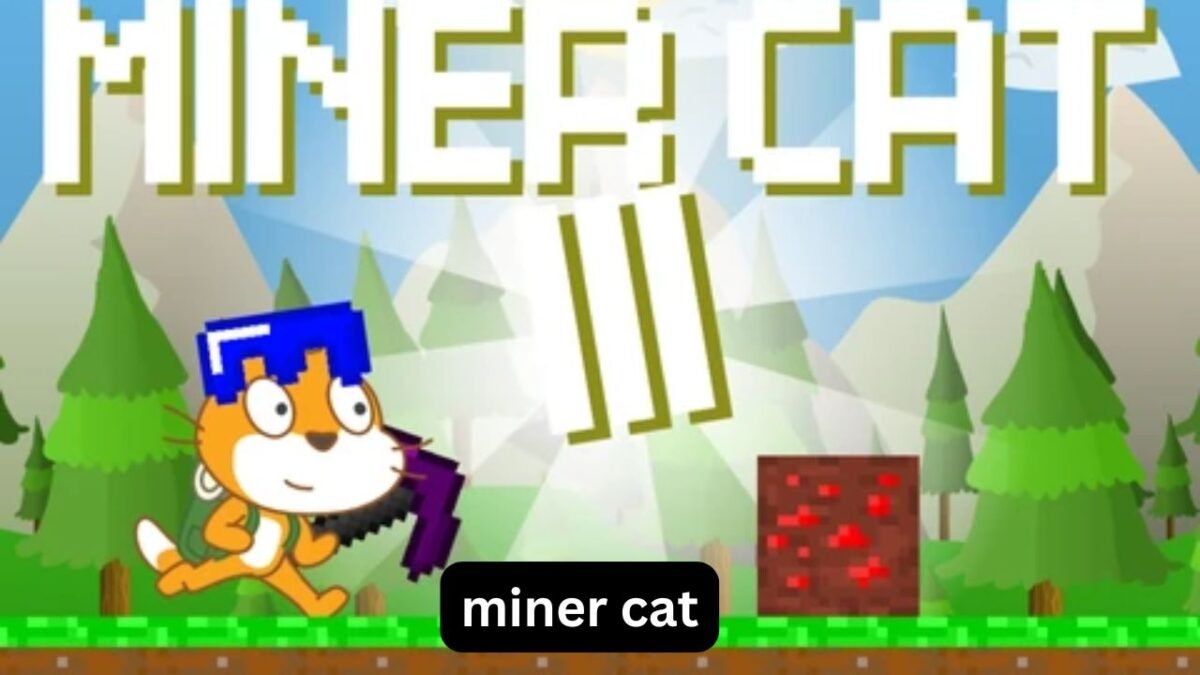
Miner Cat is a series of browser and Scratch-style mining games created by Coltroc. The games use the familiar Scratch Cat as the playable character and combine mining with platforming and resource management.
The series gradually developed from a straightforward mining concept into a larger game. Miner Cat 2, for example, was inspired by the Roblox game Mining Simulator and introduced exploration, caves, lava, better gear, and new underground layers.
By Miner Cat 4, the formula had become more ambitious. Instead of simply breaking blocks and searching for valuable materials, players explore a two-dimensional block world, collect resources, use items, interact with an NPC named Bob, craft objects, and manage their inventory.
That combination is what makes the game more interesting than a basic clicking game.
Miner Cat 4: What Makes It Different?
Miner Cat 4 is essentially a 2D, side-view mining adventure with strong Minecraft-inspired design ideas. The main character is the Scratch Cat, but the gameplay revolves around digging through a block-based world.
The basic loop is easy to understand:
- Explore the underground world.
- Break blocks.
- Collect useful resources.
- Manage your inventory.
- Avoid hazards such as lava.
- Return to trade or interact with characters.
- Use what you earn or collect to improve your progress.
- Explore deeper and continue mining.
The official Scratch project is credited to Coltroc and is listed as a major project with mining, scrolling, platforming, and game mechanics.
One practical difference from many simple browser games is that Miner Cat 4 asks you to think about where you move and what you carry, rather than simply holding down a button.
How to Play Miner Cat 4
The first few minutes are usually the most important because they teach you how the world behaves.
Movement is handled with the keyboard, while mining and item interaction involve the mouse. The basic control scheme is:
- A/D or Left/Right Arrow: Move
- W, Up Arrow, or Space: Jump
- F: Talk to Bob
- 1–6: Select an item
- Left Mouse Button: Use the selected item
- Q: Drop an item
- E: Open inventory
- P: Pause
These controls are documented for the Scratch version and are also reflected by browser versions of the game.
The controls that matter most
New players do not need to memorize everything immediately.
Start with four controls:
Movement: You will constantly reposition the cat while mining.
Jump: Important for navigating uneven terrain and avoiding dangerous areas.
Mouse: Your main interaction tool for mining and using selected items.
E: Your inventory becomes increasingly important as you collect more resources.
Once those become natural, the other controls are much easier to remember.
Miner Cat 4 Scratch: Is It Actually a Scratch Game?
Yes. The original Miner Cat 4 is available as a Scratch project, and its Scratch project is associated with project ID 487580583. The project was created by Coltroc and has also been hosted through TurboWarp and other browser wrappers.
There is an important practical point here, though.
The original Scratch version can experience performance problems because the game is relatively demanding for a Scratch project. The creator specifically recommended TurboWarp because the Scratch version could run extremely slowly on some systems.
So if someone searches for Miner Cat 4 Scratch and finds that the game feels unusually slow, that does not necessarily mean their computer is broken.
Why TurboWarp can feel better
TurboWarp is designed to run Scratch projects faster by compiling them into JavaScript. The Miner Cat 4 project is available through TurboWarp, and the creator’s own instructions recommend it as a way to reduce lag.
This creates an interesting distinction:
- Scratch: closest to the original Scratch environment
- TurboWarp: generally better suited to performance
- Browser ports: convenient if you simply want to play without dealing with the original project
The underlying game can be very similar, but the playing experience may differ considerably depending on the platform.
What Is the Goal in Miner Cat 4?
The objective isn’t simply to reach the bottom as quickly as possible.
Miner Cat 4 combines exploration, resource collection, crafting, trading, and survival-style hazards. You break blocks and collect materials while attempting to progress through the world without losing your run.
A particularly important character is Bob, whom you can interact with using the F key. Browser descriptions of the game identify trading and resource management as important parts of the gameplay loop.
That means your real objective is closer to:
Mine intelligently, collect useful resources, survive hazards, and turn your discoveries into progress.
This distinction matters because blindly digging is not always the most efficient strategy.
How to Avoid Losing Progress to Lava
Lava is one of the simplest hazards in Miner Cat 4, but it is also one of the easiest to underestimate.
Several versions of the game specifically warn players not to fall into lava.
A common beginner mistake is focusing entirely on the block being mined and forgetting what is directly underneath or beside the character.
A safer mining approach
Before breaking a block, quickly check:
- What is below you?
- Is there a visible lava area nearby?
- Do you have enough room to jump away?
- Is your inventory already getting full?
- Are you standing somewhere that could become dangerous after removing a block?
This takes only a second, but it changes how safely you can explore.
A useful rule
Never treat an unknown block as harmless simply because it looks ordinary.
When the environment opens up suddenly, stop mining for a moment and reposition the cat. This is especially useful when working around vertical drops.
Miner Cat 2 vs Miner Cat 3 vs Miner Cat 4
The three games share the same general identity, but they are not interchangeable.
| Feature | Miner Cat 2 | Miner Cat 3 | Miner Cat 4 |
|---|---|---|---|
| Main character | Scratch Cat | Scratch Cat | Scratch Cat |
| Mining | Yes | Yes | Yes |
| Exploration | Caves/layers | Underground exploration | Large block-based world |
| Combat | Limited/simple | Enemies and sword | More focused on exploration |
| Resources | Yes | Yes | Yes |
| Equipment progression | Yes | Yes | Yes |
| Inventory | Basic progression | Expanded gameplay | Important management system |
| Trading | Resource-focused | Resource-focused | Bob interaction/trading |
| Platforming | Yes | Yes | Stronger emphasis |
| Crafting | Limited | Expanded | Major gameplay element |
Miner Cat 2 introduced a mining-and-progression formula influenced by Mining Simulator, with caves, lava, better gear, and new layers.
Miner Cat 3 expanded the adventure side. Its gameplay includes mining for increasingly valuable ores, upgrading tools, and fighting enemies such as zombies.
Miner Cat 4 moves in another direction by emphasizing a broader block-world experience involving mining, crafting, item placement, inventory management, and exploration.
So if you enjoyed Miner Cat 2 because of resource progression, Miner Cat 4 retains that appeal. If you preferred the action-oriented elements of Miner Cat 3, however, the fourth game may feel different.
Is Miner Cat 4 a Minecraft Clone?
It is better described as Minecraft-inspired rather than simply calling it a Minecraft clone.
The visual language is clearly influenced by block-based games, and the original project description openly credits Minecraft as a source of inspiration for its art.
But the actual structure is different.
Minecraft is a large three-dimensional sandbox with extensive building, crafting, survival, exploration, multiplayer possibilities, and procedurally generated worlds.
Miner Cat 4 is a much smaller 2D side-scrolling experience centered around the Scratch Cat and a compact mining adventure.
The similarities are easy to recognize, but the gameplay scale is completely different.
Three Things New Players Often Miss
1. Inventory management is part of the strategy
It is tempting to collect everything you encounter.
That can actually make the game harder.
If your inventory becomes cluttered with less useful materials, you can lose the flexibility to carry something important later. The E key gives you access to your inventory, so checking it regularly is a much better habit than waiting until it becomes a problem.
2. Going deeper isn’t automatically better
Rare resources are attractive, but depth alone shouldn’t determine your decisions.
A good mining run balances risk, available inventory space, equipment, and the route back.
If you constantly push deeper without considering those factors, one mistake can erase the value of the entire trip.
3. The safest route is often faster
This sounds counterintuitive.
A player may think that taking the shortest path through the underground world saves time. In practice, a dangerous shortcut can result in falling into lava, losing progress, or forcing you to repeat part of the exploration.
A slightly slower route that keeps your character safe is often more efficient over an entire session.
Common Miner Cat 4 Mistakes
Mining without looking around
The most obvious mistake is concentrating exclusively on breaking blocks.
Always look at your surroundings before opening a new section.
Ignoring the inventory
Players sometimes continue collecting resources until they discover that they cannot efficiently manage what they have.
Check your inventory regularly.
Forgetting the controls
Trying to remember movement, item selection, dropping, inventory, and NPC interaction while simultaneously navigating can feel confusing at first.
Learn the controls gradually rather than attempting to memorize every key immediately.
Treating every resource as equally valuable
Not everything you collect has the same practical importance.
Think about what you actually need before filling your inventory.
Playing the Scratch version without considering performance
If the game is extremely slow in the original Scratch environment, changing the runtime can make a major difference. The creator specifically recommended TurboWarp for performance reasons.
What About Miner Cat 3 Scratch and Miner Cat 2 Scratch?
Searches for Miner Cat 2 Scratch and Miner Cat 3 Scratch often lead to the Scratch community and fan-made versions.
Miner Cat 2 was released as a Scratch project by Coltroc and became a substantial project in its own right. Its project description identifies it as the sequel to Miner Cat and explains its mining, cave, lava, equipment, and layer mechanics.
Miner Cat 3 continued the series and is associated with a more adventure-oriented formula involving ores, upgrades, achievements, and enemies.
It is worth remembering that Scratch has many remixes. For example, searches for Miner Cat projects can surface remixed projects that are not the original releases. The Scratch community also contains profiles and collections containing multiple Miner Cat-related projects.
That is why checking the creator and project identity is useful when trying to find a particular entry.
Is Miner Cat 4 Worth Playing?
For players who like short browser games, mining mechanics, platformers, or Minecraft-inspired 2D games, Miner Cat 4 is easy to recommend trying.
Its biggest strength isn’t complicated combat or a huge storyline. It is the satisfying progression created by combining several simple mechanics:
- Digging
- Collecting
- Exploring
- Crafting
- Trading
- Managing items
- Avoiding environmental hazards
The game also has a playful advantage: the familiar Scratch Cat makes the whole mining adventure feel less serious than a typical survival game.
It is particularly suitable when you want something that can be understood quickly but still gives you reasons to keep exploring.
FAQ
Is Miner Cat 4 free to play?
Miner Cat 4 was created as a Scratch project and has also been distributed through browser-based game platforms. The original Scratch project is available as a free Scratch-style game, although the experience and performance can vary depending on where it is played.
What are the Miner Cat 4 controls?
Use A/D or the left and right arrow keys to move, and W, Up Arrow, or Space to jump. F talks to Bob, number keys 1–6 select items, the left mouse button uses an item, Q drops an item, E opens the inventory, and P pauses the game.
Is Miner Cat 4 a Scratch game?
Yes. Miner Cat 4 was originally created as a Scratch project by Coltroc. It can also be played through environments such as TurboWarp, which was recommended by the creator because the original Scratch version could experience significant lag.
What is the difference between Miner Cat 2 and Miner Cat 4?
Miner Cat 2 focuses strongly on mining, caves, resources, equipment, and discovering new layers. Miner Cat 4 expands the formula into a broader 2D block-world experience involving crafting, inventory management, item placement, exploration, and interaction with Bob.
Does Miner Cat 4 have lava?
Yes. Lava is an important environmental hazard, and touching or falling into it can endanger your progress. Playing carefully around open areas and checking your surroundings before mining is one of the simplest ways to avoid unnecessary mistakes.
Who created Miner Cat 4?
Miner Cat 4 was created by Coltroc. The original project credits Coltroc for the coding and artwork while also acknowledging inspiration from Minecraft and contributions such as the cat running costume and music.
Final Verdict
Miner Cat is more than a simple mining game. Across the series, the concept develops from resource collection into a fuller combination of exploration, upgrades, platforming, hazards, and progression.
Miner Cat 2 established a stronger mining-and-equipment formula, while Miner Cat 3 added more adventure and combat-oriented elements. Miner Cat 4 takes the series toward a more complete 2D block-world experience, where mining is only one part of the overall gameplay.
For new players, the best approach is simple: learn the controls, watch your surroundings, manage your inventory, and don’t rush into dangerous areas just because they appear to contain valuable resources.
And if Miner Cat 4 Scratch runs slowly, don’t immediately assume the game is broken. The original creator acknowledged performance limitations and recommended TurboWarp as a faster way to run the project.
That small detail can make a surprisingly large difference to the experience.