

Table of Contents
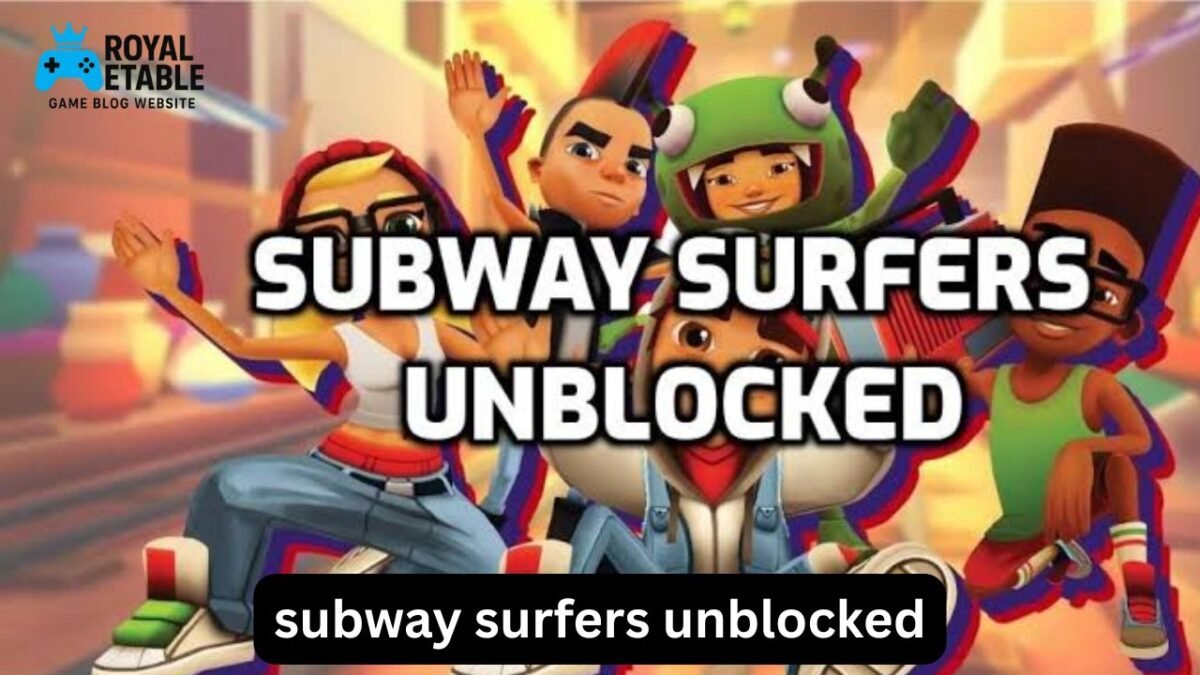
ToggleIf you have ever tried to play Subway Surfers on a school Chromebook or another restricted computer, you may have run into a frustrating message: the game loads elsewhere, but not on the network you are using. That is where searches for Subway Surfers unblocked come from. Players are usually looking for a browser-based way to enjoy the familiar endless-runner gameplay when access to gaming sites is restricted.
The important thing is that “unblocked” does not describe a special official edition of Subway Surfers. It usually refers to a version hosted somewhere that a particular network or browser has not blocked. That distinction matters because unofficial copies can vary considerably in quality, security, and reliability.
This guide explains what Subway Surfers unblocked means, why it may not work on Chrome or a school Chromebook, what common “glitches” actually are, and how to approach the game without putting your device or account at unnecessary risk. It also covers the Christmas version, browser compatibility, gameplay basics, and practical troubleshooting.
What Does Subway Surfers Unblocked Mean?
Subway Surfers unblocked generally means a browser-accessible version of Subway Surfers that can be reached on a network where some gaming websites are restricted.
The original game is an endless runner. You control a character running along railway tracks while avoiding trains, collecting coins, using power-ups, and trying to achieve a high score.
“Unblocked” versions are usually not a separate game created by the original developer. They may be:
- Browser ports or web versions
- Games embedded on third-party gaming websites
- Repackaged versions of the game
- Older browser implementations
- Pages designed to work around particular network restrictions
This is why two sites claiming to offer the same game can behave completely differently.
Is there an official “unblocked” version?
There is no universal official version called Subway Surfers Unblocked.
If a website uses “unblocked” in its title, that normally describes the site’s accessibility rather than an official Subway Surfers product category. Be particularly cautious with pages asking you to install unfamiliar extensions, download executable files, or provide personal information just to start a browser game.
How to Play Subway Surfers Unblocked
When you encounter a legitimate browser version that is permitted on your network, the basic controls are straightforward.
On a computer, keyboard controls commonly involve:
- Left/right: Move between lanes
- Up: Jump
- Down: Roll or duck
- Space: May activate certain functions depending on the version
Touch controls work differently on phones and tablets, where you swipe in the required direction.
The objective is simple: run as far as possible without hitting obstacles.
As the run continues, the game becomes harder because your character moves faster and obstacles require quicker reactions.
Why Subway Surfers May Be Blocked on a School Chromebook
If Subway Surfers does not open on a school Chromebook, the problem may have nothing to do with the game itself.
Schools and organizations commonly restrict websites through network filtering, managed browser policies, DNS filtering, or device-management software. These restrictions can prevent an entire category of websites from loading.
For example, a Chromebook might display:
This site is blocked by your administrator.
In that situation, repeatedly refreshing the page will not normally solve the underlying issue.
School Chromebook restrictions are different from browser problems
This is an important distinction.
If one website refuses to load while other websites work normally, the issue could be with that site.
If many gaming websites are blocked, the restriction is probably coming from the school’s network or device-management policy.
Trying random “unblock” tricks can also violate school technology rules. If the Chromebook belongs to a school, the safest approach is to use it according to the school’s acceptable-use policy.
Subway Surfers Unblocked on Chrome
Chrome itself can run browser games effectively when the website uses technologies supported by the browser.
However, several things can interfere with gameplay.
1. Browser compatibility
An outdated browser may have difficulty with newer web technologies. Updating Chrome can resolve ordinary compatibility problems, but it will not remove administrator restrictions.
2. JavaScript
Many browser games depend heavily on JavaScript. If JavaScript is disabled or restricted, the game may show a blank screen or fail to respond.
3. Cookies and site data
Corrupted or incomplete site data can sometimes cause loading problems. Clearing site data for the affected website may help with an ordinary browser issue.
4. Hardware acceleration
Graphics-heavy browser games can behave differently depending on hardware acceleration and the Chromebook’s graphics capabilities.
A game that technically loads may still feel slow if the device has limited resources.
What Is the “Subway Surfers Unblocked Glitch”?
Searches for Subway Surfers unblocked glitch can refer to several completely different problems.
Some players mean a website that loads the game incorrectly. Others are talking about gameplay bugs, unusual character movement, frozen screens, or controls that stop responding.
Common symptoms include:
- The game remains stuck on a loading screen.
- Keyboard controls do nothing.
- The screen becomes black or white.
- Sound works while graphics do not.
- The game freezes after starting.
- The page repeatedly reloads.
- Performance becomes extremely slow.
A useful troubleshooting approach is to identify the type of failure before trying random fixes.
If the game loads but controls do not work
First click inside the game area. Some browser implementations do not receive keyboard input until the game has focus.
Then test the arrow keys.
If the controls still fail, the particular web implementation may simply have poor keyboard support.
If the game is extremely slow
Close unnecessary browser tabs and applications.
Browser games compete for memory and processing resources, which is particularly noticeable on lower-powered Chromebooks.
Also check whether other browser games have the same problem. If several games perform poorly, the issue is more likely to be the device or browser rather than Subway Surfers itself.
If the page is completely blocked
A blocked page is different from a broken page.
If the message comes from a school administrator or filtering system, the restriction is intentional. There is no legitimate browser setting that should be treated as a guaranteed way to override an administrator’s policy.
Subway Surfers Unblocked School and Chromebook Use
The phrase Subway Surfers unblocked school usually reflects a very specific situation: someone wants to play during school hours using a managed Chromebook or network.
There is an important practical consideration here.
A school Chromebook is often managed centrally. Administrators can control which websites, extensions, applications, and services are available. Even if a particular game website works today, it may be blocked later when filtering rules are updated.
Instead of looking for increasingly obscure mirrors, consider whether you are actually permitted to play games on that device.
If gaming is allowed during an appropriate break, use an approved site or platform. If it is not allowed, waiting until you are using a personal device and network is the safer option.
This avoids another common problem: spending more time trying to defeat a restriction than actually playing the game.
Subway Surfers Christmas or Xmas Version
The Subway Surfers Xmas version is usually associated with the game’s seasonal Christmas-themed content.
Players often search for older seasonal versions because they remember a particular setting, character, board, decoration, or holiday atmosphere.
Older browser copies can be especially inconsistent, though.
A third-party page may claim to offer an old Christmas build but actually provide:
- A different game version
- A modified copy
- A broken implementation
- A page containing aggressive advertisements
- An outdated version that no longer works correctly
So the name “Xmas version” alone does not guarantee that the page contains an authentic historical build.
Subway Surfers Unblocked Games: What to Watch For
The broader unblocked games category deserves some caution because quality varies enormously between websites.
A page may look like a simple game portal while containing additional scripts, redirects, or intrusive advertising.
Before interacting with an unfamiliar gaming page, look for warning signs such as:
- Unexpected download prompts
- Requests to install unknown browser extensions
- Fake update notifications
- Pop-ups claiming your device has a virus
- Requests for passwords or personal information
- Multiple automatic redirects
- Notifications asking for unnecessary browser permissions
A browser game should not require you to hand over sensitive information simply to play.
One useful rule
If a website creates more urgency than the game itself, leave the page.
“Your browser is infected,” “install this extension immediately,” or “download this player to continue” are classic examples of unnecessary pressure.
How to Improve Gameplay Performance
Even when a browser version works correctly, performance can make the difference between a smooth run and constant missed inputs.
Try these practical adjustments:
- Close unnecessary tabs.
Video streams, large web applications, and multiple open tabs can consume substantial memory. - Keep the browser updated.
Browser updates often include performance and compatibility improvements. - Restart the Chromebook.
This sounds basic, but it can clear temporary resource problems. - Use fewer extensions.
Browser extensions can consume resources or interfere with websites. - Avoid overloaded game portals.
A slow host can make an otherwise simple game feel broken. - Check your connection.
If the game requires online resources, unstable internet can cause loading problems.
Common Mistakes Players Make
One of the biggest mistakes is assuming that every “unblocked” copy is identical.
It isn’t.
A player might find a version that works perfectly on one Chromebook but fails on another because of browser policies, hardware differences, network filtering, or the website’s own implementation.
Another mistake is repeatedly clicking download buttons.
For a browser game, an unexpected executable download is a reason to stop and reconsider the page—not a normal step in getting the game running.
A third mistake is confusing network blocking with game malfunction.
If the school network blocks gaming websites, clearing cache, changing browser settings, or refreshing the page will not necessarily solve the problem.
A Better Troubleshooting Method
When Subway Surfers does not work, use this sequence:
Step 1: Identify the error
Ask yourself whether you see:
- A blocked-by-administrator message
- A blank page
- A loading screen
- A frozen game
- Missing controls
- Extremely poor performance
Step 2: Test another ordinary website
If several unrelated websites also fail, the problem may be the network rather than the game.
Step 3: Test browser basics
If you are using a personal device and are allowed to access the site, check that Chrome is updated and functioning normally.
Step 4: Reduce system load
Close unnecessary tabs and restart the device.
Step 5: Decide whether the problem is access or compatibility
This is the key step.
If access is intentionally restricted, treat it as a policy issue.
If the page is permitted but malfunctioning, treat it as a technical issue.
That simple distinction prevents a lot of wasted troubleshooting.
Why Some “Unblocked” Sites Feel Different
An interesting detail that is often overlooked is input latency.
Two websites can host what appears to be the same game but produce different experiences because the browser implementation, frame rate, hosting performance, or input handling differs.
In an endless runner, even a small delay between pressing a key and seeing the character react can affect timing.
That is why a version that technically “works” may still feel much worse than another implementation.
Another less obvious factor is screen scaling. On a Chromebook with unusual display scaling or a small screen, game elements can appear differently positioned, making obstacles harder to judge.
These are performance and usability problems—not necessarily glitches in the original game.
Is Subway Surfers Unblocked Safe?
There is no universal answer because “unblocked” describes accessibility, not safety.
A reputable game page may be relatively harmless, while another similarly named page could contain intrusive advertising or deceptive downloads.
Use these principles:
- Do not enter passwords into an unfamiliar game site.
- Do not install unknown extensions.
- Do not download suspicious executable files.
- Do not grant unnecessary notification or browser permissions.
- Do not ignore security warnings.
- Do not use a school device in ways prohibited by its administrator.
If something feels unusual, closing the page is usually the best troubleshooting step.
FAQ
How do I play Subway Surfers unblocked on Chrome?
You need a browser-accessible version that is permitted by the network and compatible with your device. If a school or organization blocks the site, that restriction is controlled by its administrator rather than by ordinary Chrome settings. On a personal device, normal browser troubleshooting can help when the problem is technical rather than policy-related.
Why is Subway Surfers unblocked not working on my school Chromebook?
A school Chromebook may have administrator policies that block gaming websites or restrict certain browser features. If you see a message indicating that the administrator has blocked the page, refreshing or clearing the cache is unlikely to change that policy. Follow the school’s technology rules rather than trying to bypass them.
What is the Subway Surfers unblocked glitch?
“Glitch” can mean several things, including a frozen game, missing controls, loading errors, unusual graphics, or poor performance. The correct fix depends on the symptom. First determine whether the problem comes from the game page, browser, device, internet connection, or network restrictions.
Can I play the Subway Surfers Xmas version?
Seasonal versions may be available as historical or themed editions, but third-party pages claiming to host old versions are not necessarily authentic or reliable. Older implementations can also have compatibility problems with modern browsers. Be cautious with pages that require downloads or unfamiliar extensions.
Why does Subway Surfers run slowly in my browser?
Browser games can slow down when the device has limited memory or many applications and tabs are open. Closing unnecessary tabs, restarting the device, updating the browser, and reducing background activity can improve performance. If several browser games are slow, the Chromebook or browser is more likely to be the underlying issue.
Is every Subway Surfers unblocked website safe?
No. “Unblocked” only describes whether a site can be accessed; it does not guarantee that the site is trustworthy. Avoid pages that request passwords, suspicious downloads, unnecessary extensions, or excessive permissions.
Final Thoughts
The appeal of Subway Surfers unblocked is easy to understand: players want quick access to a familiar endless runner when ordinary game pages are unavailable. But the phrase covers many different third-party implementations, so access and safety should be considered separately.
If the game is simply malfunctioning on a permitted personal device, start with basic browser and performance troubleshooting. If you are using a managed school Chromebook and the game is deliberately blocked, recognize that as an administrator policy rather than a technical glitch.
The best experience comes from using a legitimate, permitted version on a device that can run it properly. That means fewer compatibility problems, fewer suspicious pop-ups, and more time actually playing rather than fighting with the website.