


Table of Contents
ToggleIf you have ever tried to play a quick browser game at school, work, or on a restricted network, you have probably run into the same problem: the game loads everywhere except where you actually want to play it. Drive Mad unblocked is commonly searched by players looking for a browser-accessible version of the popular physics-based driving game without installing software.
The confusing part is that searches for Drive Mad often lead to many different names, including GitHub repositories, GitHub Pages sites, Poki, Games 66, Games World, browser extensions, and other mirror pages. They do not all represent the same thing. Some may host the game directly, some may simply redirect users, and others may be outdated or unofficial copies.
This guide explains what Drive Mad unblocked actually means, how browser versions work, why some networks block them, and what to check before using an unfamiliar mirror. It also covers common problems such as loading errors, blocked domains, missing controls, and versions that work poorly on school computers.
What Is Drive Mad Unblocked?
Drive Mad unblocked generally refers to a browser version of Drive Mad that can be accessed on a network where gaming websites are normally restricted.
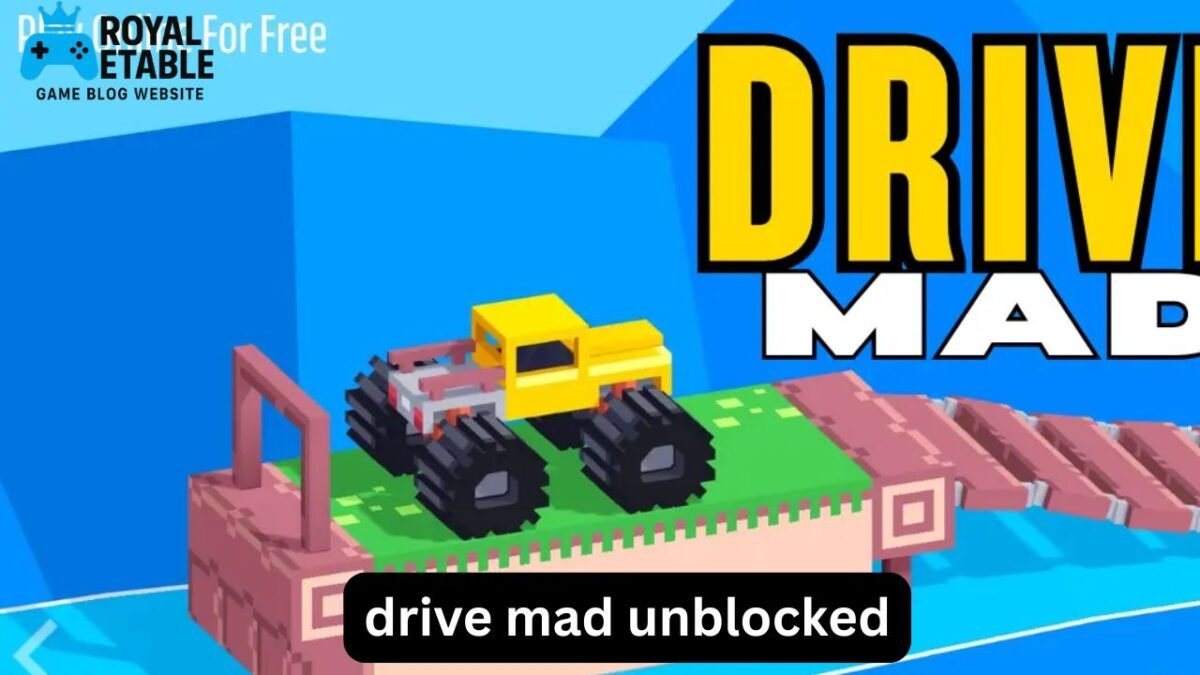
Drive Mad is a physics-based driving game built around short obstacle courses. Instead of simply racing against opponents, you need to control a vehicle across bridges, ramps, platforms, gaps, and other unusual tracks.
The game looks simple at first, but its physics make it surprisingly challenging. Small changes in acceleration, braking, and steering can determine whether the vehicle lands safely or flips over.
“Unblocked” does not necessarily mean that the game itself has been modified. In many cases, the difference is simply where the game is hosted.
For example, one website might be blocked by a school network while another legitimate game-hosting domain remains accessible. The game may be similar, but the hosting environment is different.
Why Is Drive Mad So Popular?
Drive Mad combines several elements that work particularly well for browser gaming:
- Quick levels that do not require long sessions
- Simple keyboard controls
- Physics that are easy to understand but difficult to master
- No complicated character-building system
- Immediate retry after failure
- Tracks that gradually introduce new challenges
A typical level can be attempted in a short amount of time. That makes the game particularly appealing when someone wants a quick browser game rather than a large downloadable title.
The difficulty also comes from controlling momentum rather than simply pressing the accelerator.
A player who accelerates too aggressively may launch the vehicle off a platform. Someone who brakes too heavily may fail to reach the next section.
How Drive Mad Gameplay Works
The core objective is straightforward: reach the end of the level without destroying or flipping the vehicle.
The challenge comes from the physics.
Acceleration Matters
Holding acceleration continuously is one of the easiest mistakes beginners make.
On a flat section, maintaining speed can be useful. On a steep ramp or narrow platform, however, excessive speed can make the next jump much harder.
A better approach is to think of acceleration as something you control rather than something you hold constantly.
Balance Is More Important Than Speed
Many levels reward stability rather than maximum speed.
When the front of the vehicle rises too far during a jump, briefly changing your acceleration can help bring the vehicle back into a safer position.
This is one of the game’s most useful lessons: finishing slowly is better than restarting quickly.
Learn the Physics Through Retries
Failure is part of the intended gameplay loop.
Instead of treating every failed attempt as wasted time, pay attention to what caused it:
- Did you approach the ramp too quickly?
- Did the vehicle rotate in midair?
- Did you land too close to an edge?
- Did you accelerate while climbing?
- Did you react too late?
Once you identify the reason for a failed attempt, the next run becomes much easier.
Drive Mad Unblocked on GitHub
One of the most common searches is Drive Mad unblocked GitHub.
GitHub is primarily a platform for storing and collaborating on software projects. Developers can use it to publish source code, educational projects, web games, and static websites.
Some browser games can therefore appear in GitHub repositories or be deployed through GitHub Pages.
However, an important distinction is often overlooked:
A GitHub repository is not automatically an official version of Drive Mad.
A repository may contain:
- Game-related code
- A launcher or wrapper
- A web-game project
- A copy or adaptation
- An unrelated project using the same keyword
- An archived or broken version
Before trusting a repository, look at the project description, files, update history, and developer information rather than assuming that the word “Drive Mad” proves its authenticity.
What About Drive Mad GitHub.io?
Searches for Drive Mad unblocked GitHub.io usually refer to websites hosted through GitHub Pages.
GitHub Pages can serve static websites directly in a browser. That makes the platform technically suitable for certain browser games.
But the same caution applies: a GitHub Pages address does not automatically prove that the page is official, current, or safe.
If a page unexpectedly asks you to install an extension, download an executable file, disable browser security, or provide personal information just to play a simple browser game, that is a strong reason to leave the page.
Drive Mad Unblocked on Poki
Another frequent search is Drive Mad unblocked Poki.
Poki is known for browser-based games, and players often search for Drive Mad there because they want a straightforward web version without installing a traditional desktop game.
The important thing to understand is that availability can change. A game can be present on one platform in one region and unavailable later because of licensing, hosting, technical, or platform-related changes.
Therefore, if a search result claims that a particular Poki page is the “official unblocked version,” do not rely on the wording alone.
Check that you are actually on the intended platform rather than a lookalike domain using the platform’s name in its page title.
What Are Drive Mad Games 66 and Games World?
Searches such as Drive Mad unblocked Games 66 and Drive Mad unblocked Games World usually come from players looking for game portals that collect browser games in one place.
These portals can be convenient because they may offer many titles through a single interface.
The downside is that third-party game portals can vary considerably in quality.
A portal might:
- Embed a game from another source
- Host an older version
- Redirect to another page
- Display aggressive advertising
- Stop working when the original game changes
- Use a title that does not accurately describe the hosted game
The practical rule is simple: judge the actual website, not just the keyword appearing in its title.
Why Is Drive Mad Blocked at School?
If Drive Mad works on your home connection but not at school, the game itself may not be the problem.
Schools commonly use network filtering systems to restrict categories such as:
- Online gaming
- Entertainment
- Social media
- Streaming
- Unknown websites
- Websites containing interactive scripts
A browser game may be blocked because its domain has been categorized as gaming, even if the game itself is harmless.
There can also be technical reasons. Some school networks restrict JavaScript, embedded content, WebSockets, or other browser technologies that interactive games depend on.
This explains why an apparently simple game can display a blank screen even when the website itself opens.
Should You Try to Bypass School Restrictions?
It is important to distinguish between troubleshooting a game and deliberately bypassing an organization’s network controls.
If a school, employer, or other organization blocks gaming websites, attempting to circumvent those controls may violate its acceptable-use rules.
The safest approach is to use games only where they are permitted. If you need the game for a legitimate educational or development purpose, ask the network administrator whether the relevant site can be approved.
What Is a Drive Mad Unblocked Extension?
You may also encounter searches for Drive Mad unblocked extension.
This is where extra caution is worthwhile.
A normal browser game generally should not require a special extension merely to operate. An extension can receive browser permissions that go well beyond what a simple game needs.
Before installing any extension, ask:
- Who published it?
- What permissions does it request?
- Does it have a clear purpose?
- Is it maintained?
- Are the permissions proportionate to its function?
- Does the browser identify any security concerns?
If an extension requests access to browsing activity, websites, passwords, or unrelated browser data for the purpose of playing a small game, there is little reason to accept that risk.
Do not install an extension simply because a game page says you need one.
A Better Way to Troubleshoot Drive Mad
When a browser version does not work, many players immediately search for another “unblocked” site. That is not always necessary.
Try these basic checks first.
1. Refresh the Page
Temporary loading failures can occur when a game script does not load correctly.
A normal refresh may solve the problem.
2. Check JavaScript
Browser games depend heavily on JavaScript. If scripts are blocked, the page may load while the actual game remains blank.
3. Try a Supported Browser
A current version of a mainstream browser is generally preferable to an outdated browser.
4. Check the Keyboard
If the game loads but the vehicle does not respond, click inside the game area first. The browser may still have focus on another element.
5. Avoid Random Download Prompts
A browser game should not suddenly require an unfamiliar executable file simply because the game failed to load.
Closing the page is usually safer than downloading something you do not recognize.
Drive Mad Controls and Beginner Strategy
The controls are deliberately simple, but using them well takes practice.
Instead of focusing on speed, use this progression:
Start → Build controlled momentum → Approach obstacle → Adjust balance → Land safely → Continue
A useful beginner technique is to make smaller inputs around difficult obstacles.
For example, imagine a narrow platform followed by a steep ramp. A beginner may hold the accelerator from the beginning, reach the ramp at maximum speed, and flip immediately.
A more controlled player approaches the ramp with moderate speed and makes small adjustments before the jump.
That difference may seem minor, but it is often the key to completing difficult levels.
Common Mistakes Players Make
Holding the Accelerator Constantly
More speed does not always mean better performance.
Panicking During Jumps
Rapid control changes can make an already unstable vehicle even harder to control.
Repeating the Same Failed Approach
If the vehicle flips at exactly the same point several times, repeating the same input is unlikely to produce a different result.
Change one variable: speed, timing, or approach angle.
Trusting Every “Unblocked” Result
A page being indexed for “Drive Mad unblocked” does not establish that it is trustworthy.
Installing Unnecessary Software
Avoid unfamiliar extensions, executable downloads, and browser permissions that are unrelated to normal gameplay.
Three Less-Obvious Insights About Browser Versions
1. “Unblocked” Is Usually About Hosting, Not Game Mechanics
People often assume an unblocked version has special code that defeats network restrictions. In many cases, the underlying game is simply being served from a different domain or platform.
That distinction helps explain why one page can work while another does not.
2. A Working Game Page Can Still Be a Poor Choice
A page loading successfully does not automatically make it a good source.
Performance, advertisements, redirects, permissions, outdated files, and unexpected downloads all matter. The best option is not necessarily the first result that happens to load.
3. Browser Compatibility Can Matter More Than the Website
Two pages may appear to contain the same game but behave differently because of how they embed scripts and game files.
If one version freezes, has missing controls, or produces unusual browser warnings, changing to a reputable, compatible source may be more effective than repeatedly refreshing the same page.
Is Drive Mad Safe to Play Online?
The game itself is a relatively simple browser-based driving experience, but safety depends heavily on where you access it.
A sensible browser-game safety checklist is:
- Use recognizable, reputable game platforms.
- Keep your browser updated.
- Do not install unknown extensions.
- Do not download executable files just to launch a browser game.
- Never provide passwords or payment information to a game mirror.
- Close suspicious pop-ups instead of interacting with them.
- Respect school, workplace, and network policies.
This approach is more useful than simply searching for the word “unblocked” and opening the first result.
FAQ
Is Drive Mad unblocked a separate game?
Usually, no. “Unblocked” generally describes a version or hosting location that is accessible on a network where some gaming websites are restricted. The gameplay itself may be essentially the same.
Can I play Drive Mad unblocked through GitHub?
Some Drive Mad-related projects or browser deployments may appear on GitHub or GitHub Pages, but not every repository or page is an official version. Check the project’s source, publisher information, and behavior before trusting it.
Why does Drive Mad work at home but not at school?
School networks commonly use content filters that restrict gaming domains or interactive web content. The difference may therefore be caused by the network rather than the game.
Do I need a Drive Mad unblocked extension?
Normally, you should not assume that a browser extension is necessary. Be especially careful with extensions requesting broad browser permissions for a simple game.
Why does Drive Mad keep freezing in my browser?
Possible causes include blocked JavaScript, browser compatibility issues, overloaded pages, unstable network connections, or an outdated game deployment. Refreshing the page and using an up-to-date browser are reasonable first steps.
Are Drive Mad Games 66 or Games World versions official?
A portal using a familiar game title does not necessarily mean it is the game’s official publisher. Treat third-party portals as hosting platforms and evaluate the specific page rather than relying on the name alone.
Final Thoughts
Drive Mad is popular for a good reason: its controls are simple, but the physics create enough unpredictability to make every level feel like a small puzzle. The term Drive Mad unblocked adds another layer of confusion because it can refer to different hosting platforms, mirrors, GitHub projects, and browser pages.
The most useful strategy is not to chase every supposedly unblocked copy. Instead, understand where the game is hosted, use reputable browser environments, avoid unnecessary downloads and extensions, and respect restrictions on school or workplace networks.
Once the access issue is sorted out, the gameplay itself becomes much simpler: control your speed, manage your vehicle’s balance, learn from failed attempts, and stop treating maximum acceleration as the goal. In Drive Mad, controlled movement usually beats reckless speed.